

Available on Testnet today. Mainnet support is published at Mainnet launch.
MetaMask
MetaMask is a browser-extension wallet and the most common way to connect to Whitechain. It injects a provider that dapps read throughwindow.ethereum, the same interface wagmi’s injected connector uses in the dapp templates. Add the network with the steps in Connect to Whitechain Sepolia.
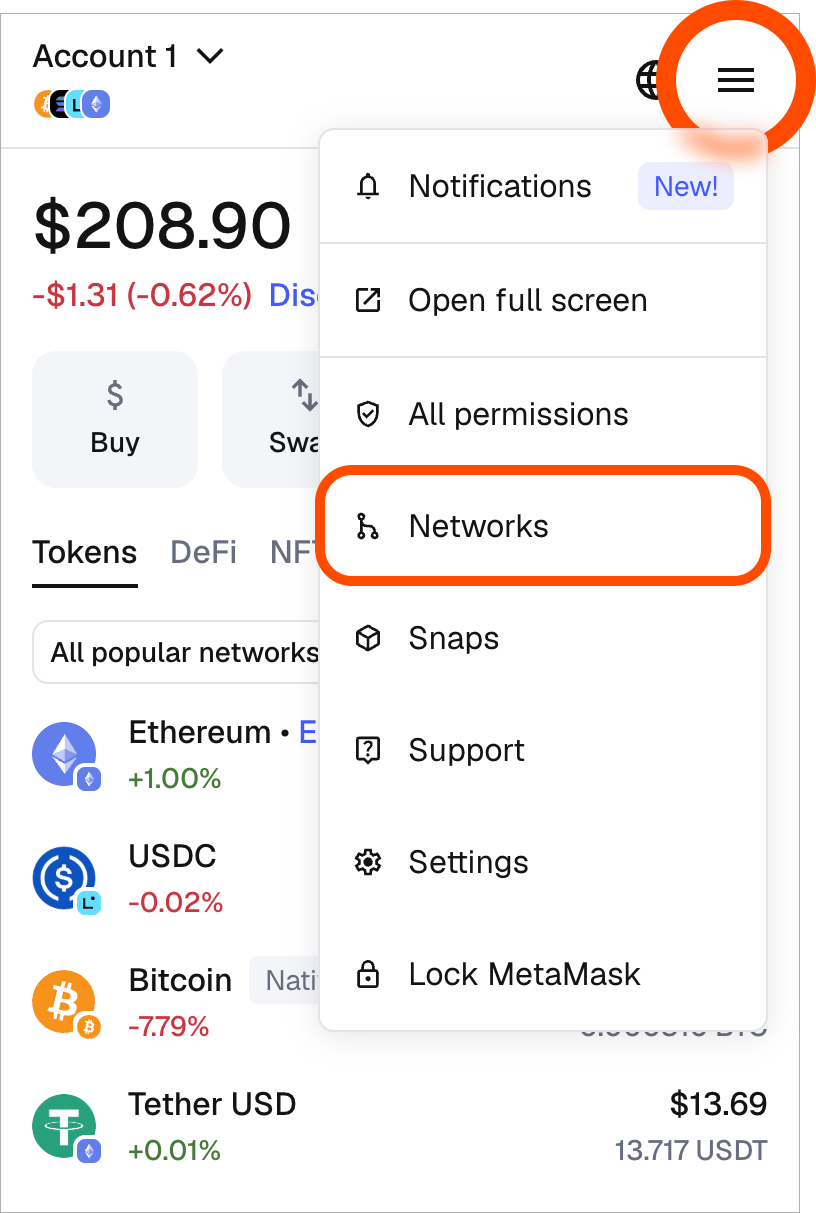
Open the account menu and select Networks
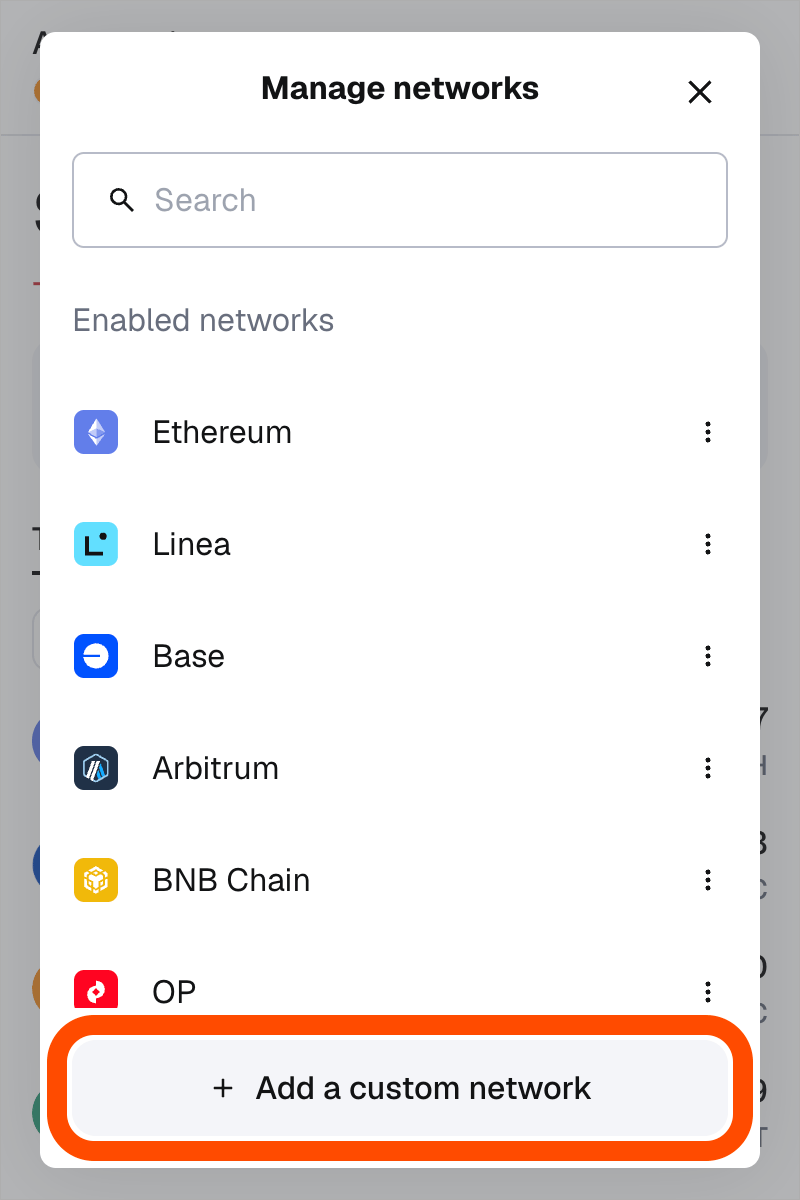
Select Add a custom network
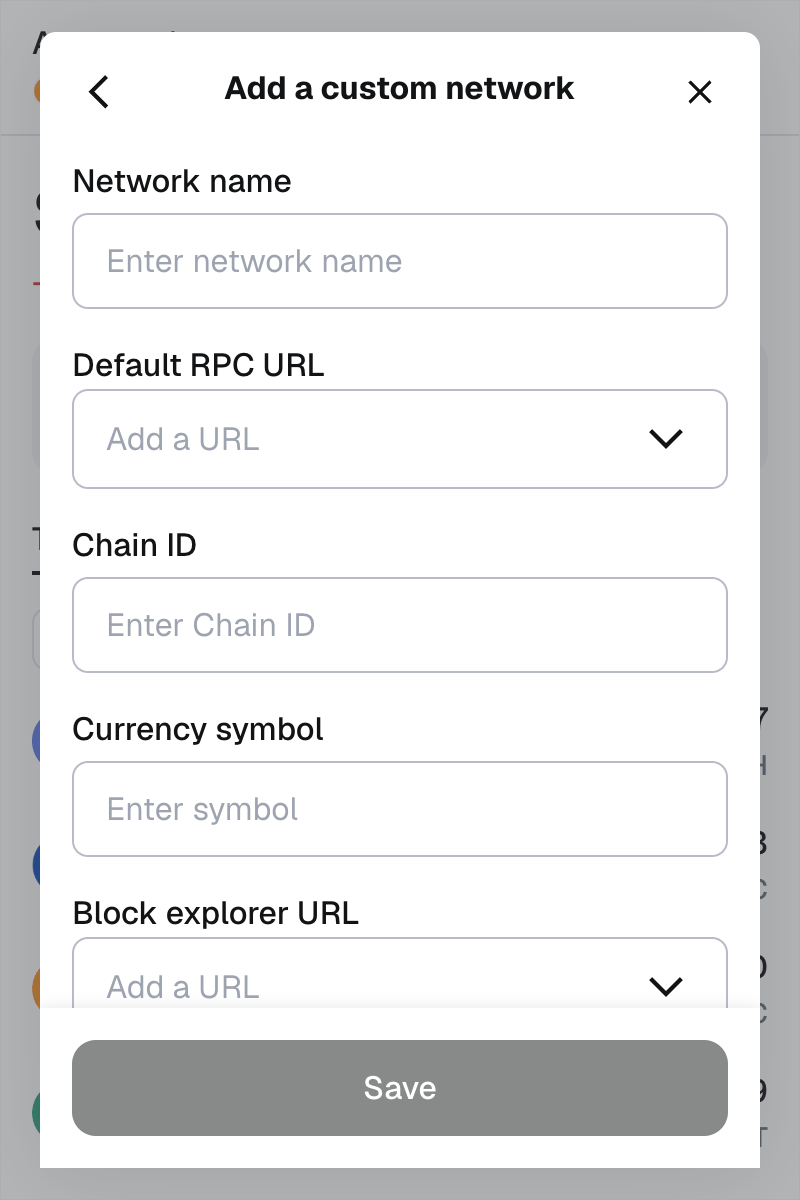
Fill in the network name, RPC URL, chain ID, currency symbol, and block explorer URL
Rabby
Rabby is a browser-extension wallet built for multi-chain use. It tracks every network you add. It switches to the one a dapp requests on its own, so you don’t switch networks by hand before signing. It reads the same network parameters as MetaMask.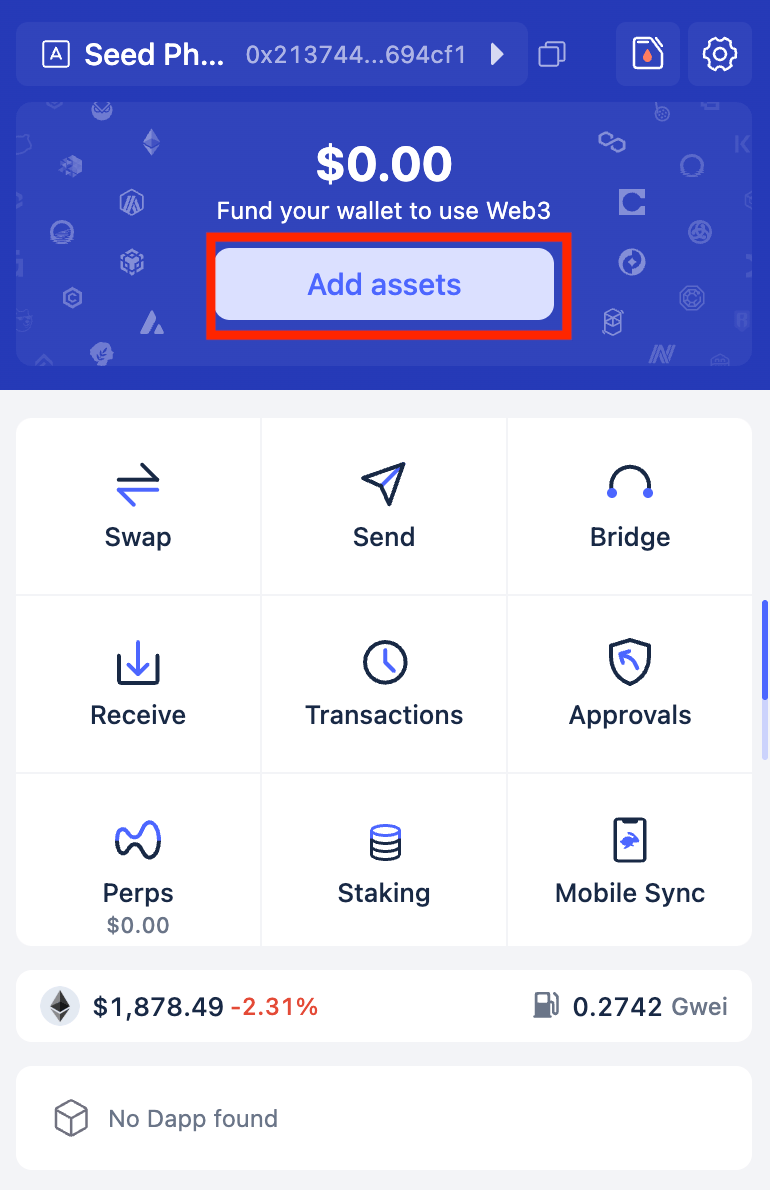
Open Rabby and select Add assets
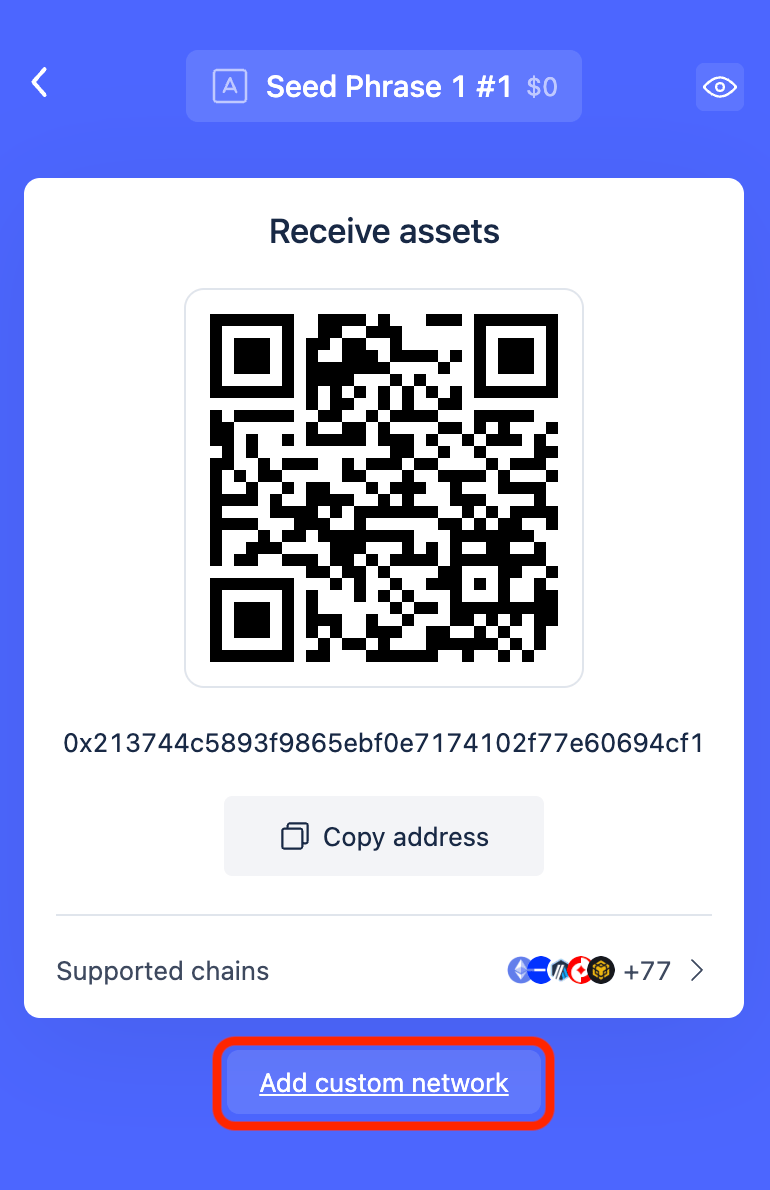
Select Add custom network from the receive screen
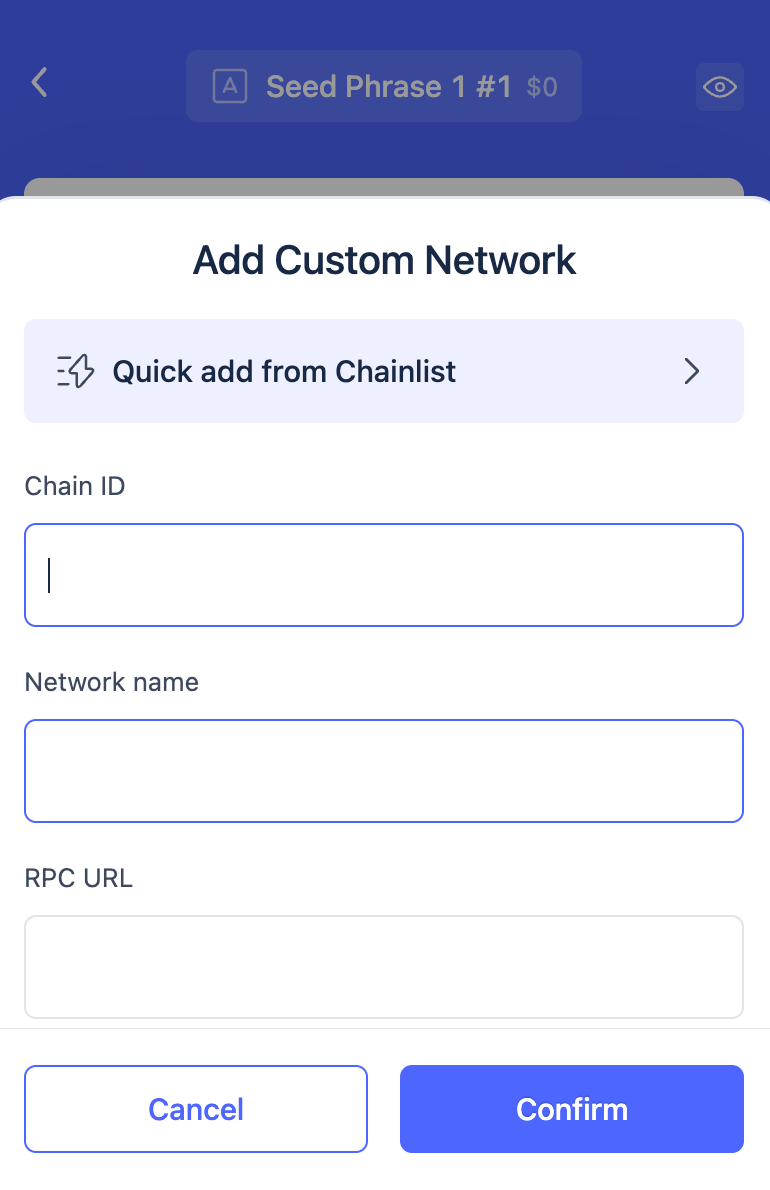
Fill in the chain ID, network name, and RPC URL
Reown
Reown (formerly WalletConnect) provides the AppKit toolkit. It connects a dapp to a mobile or hardware wallet over WalletConnect instead of a browser extension. The connection opens with a QR code scan or a deep link. AppKit wraps wagmi, so a dapp keeps the same connection hooks regardless of which wallet connects.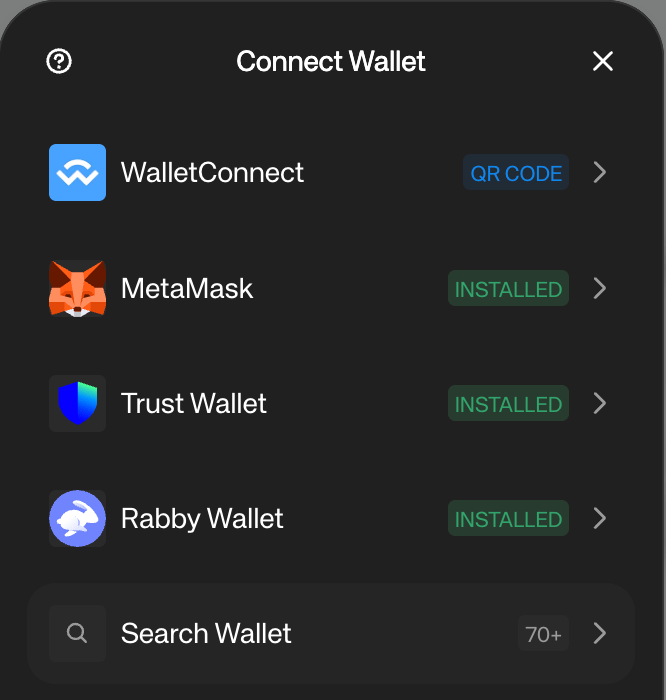
Reown AppKit's connect modal, listing installed wallets and WalletConnect's QR code option
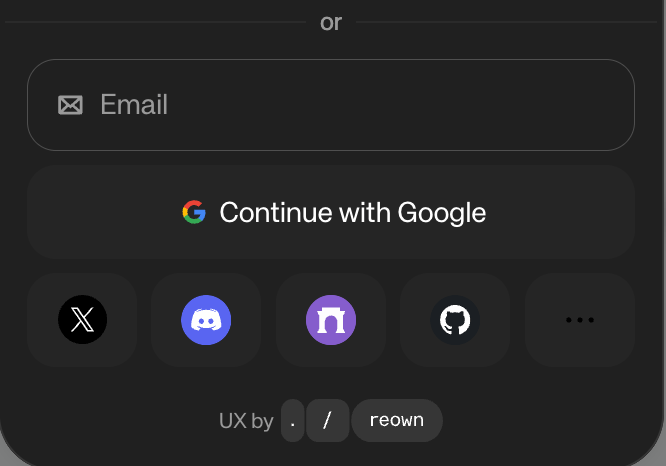
Sign in with an email, a social account, or a passkey instead of a wallet
Safe
Safe is the multisig wallet Whitechain recommends for treasury and admin operations. A Safe account sets a signer threshold, for example 2 of 3. A transaction only executes once enough signers approve it, so no single key can move funds or change an owned contract alone. Each signer connects with their own wallet, such as MetaMask or Rabby, to review and sign. The Safe interface holds a transaction in a pending queue until it collects enough signatures.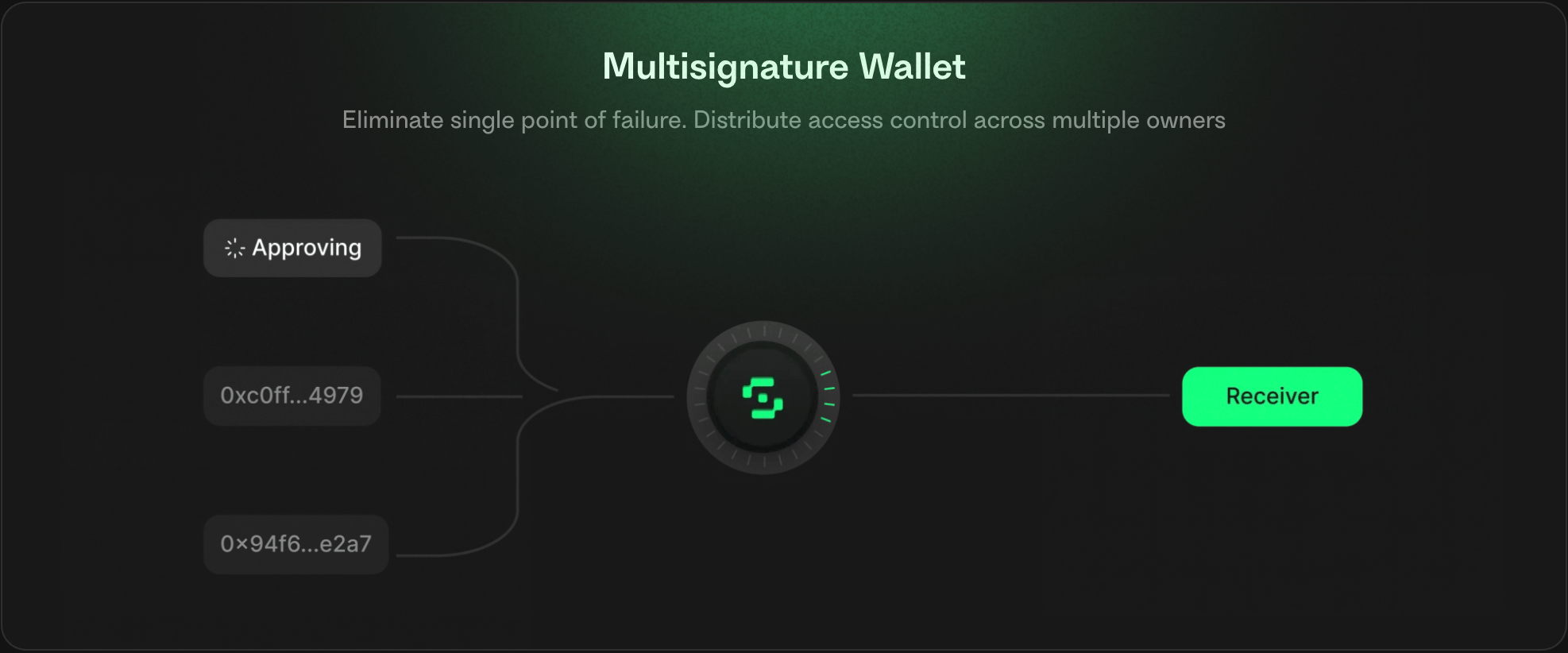
A Safe transaction moves to the receiver only after enough signers approve it